Best JPG to Excel Tools for Converting Images into Excel Files
You may often need to convert images containing tabular data into Excel spreadsheets to make them editable. If you’ve ever tried to manually type data into Excel, you know it can take a long time, and still, it’s error-prone.
This is where OCR-based conversion tools become useful. Instead of retyping everything by hand, these tools read the text inside the image, extract it, and convert it into an Excel format. They are especially useful when images containing useful tabular information require editing or copying. The following are some common situations where this conversion helps.
- Extracting data from scanned documents and printed reports
- Converting screenshots of tables into editable spreadsheets
- Managing invoices, receipts, or bills received as images
- Organizing survey results or research data shared in image form
- Updating price lists or inventory sheets received as JPG files
However, when you search for JPG to Excel conversion tools on the internet, you find multiple tools claiming to do the task perfectly. But not every tool can give reliable results. To help you with this, I’ve selected a few reliable tools that are easy to use and helpful for turning image-based tabular data into Excel files.
In this blog, I’ll list three of the best OCR-powered JPG to Excel tools that can help you extract data from images accurately and convert it into editable Excel spreadsheets without manual effort.
Table of Contents
Top JPG to Excel Tools Online
The following are some of the best image to Excel converters mentioned, along with some of their most prominent features.
Imagetotext.io’s Image to Excel
This is a web-based tool that converts image files to Excel spreadsheets without requiring you to download anything.
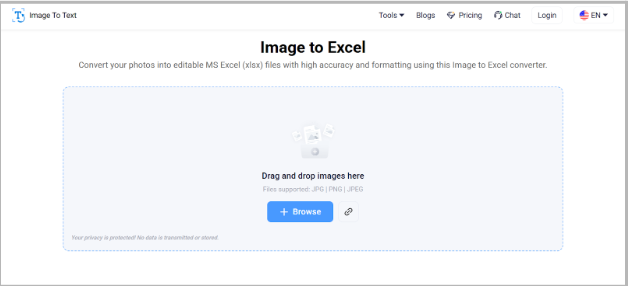
Tool Link – https://www.imagetotext.io/image-to-excel
This tool converts scanned images and screenshots containing tabular data within seconds. It detects the rows and columns accurately and keeps the formatting intact. It can be useful for teams that often receive scanned documents or images from suppliers, and they need to convert them into Excel sheets for further processing. Here are some notable features of this tool.
Key Features
- Supports formats including JPG, PNG, JPEG
- Allows image-to-Excel conversion through URL
- Fast extraction and download as Excel format
- No software installation required

How to use Quick Analysis Tool in Excel
Using this tool is incredibly simple. Follow these steps to get started:
Pricing
It offers a free version with basic conversion tasks. For heavy usage, it offers paid plans starting at a price of $6 per month.
Imagetotext.cc’s Image to Excel Converter
This Image to Excel Converting tool is another OCR-powered tool that offers free and quick access. It comes with a neat and clean interface and gives reliable results.
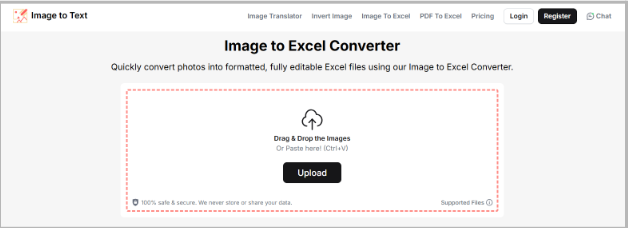
Tool Link – https://www.imagetotext.cc/image-to-excel
This tool converts images into Excel accurately within seconds, even if the photos are blurry. Its simple interface makes it suitable for quick conversions without any learning curve. Oftentimes, users share and receive tabular data in the form of images that later need to be edited or reorganized in Excel. With this tool, it can be done easily. It reads the image content, arranges it into a grid accurately, and lets you download a .xlsx file.
Key Features
- Straightforward drag-and-drop upload
- Accurate recognition of text and numbers
- Multiple language support
Pricing
It allows free basic JPG to Excel conversion without requiring you to sign up. For advanced features, it provides premium plans starting at $4.99/month.
Extract Text From Image.com’s JPG to Excel Converter
This tool concludes my list of “best JPG to Excel tools.” It is quick at performing image to Excel conversions.
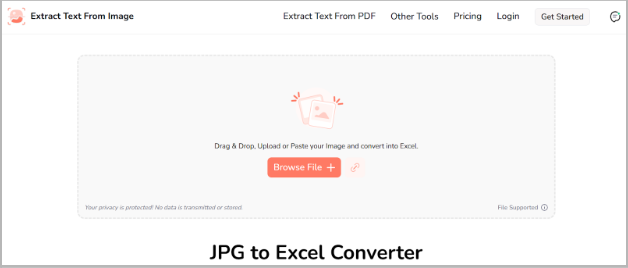
Tool Link – https://www.extracttextfromimage.com/jpg-to-excel
This tool effectively handles scanned images, reports, and screenshots of tabular data. This makes it useful for digitizing the data locked in images. People who work online often handle client data sent as pictures, and they need to convert it into a structured form, such as Excel. The tool processes the images instantly and returns a structured Excel file, which can be edited and shared easily.
Few insightful articles on Excel to improve your knowledge:
Key Features
- Accepts multiple formats, including PNG, JPEG, WEBP, TIFF, JFIF, HEIC, BMP
- Gives the option to fetch an image through a URL
- Free online use with no sign-up.
- Allows downloading the converted .xls file
Pricing
Users can access this tool freely without paying anything for basic and limited use. To access premium features like batch processing, it offers premium plans starting at $7/month.
Final Thoughts
Working with tabular data locked in the images shouldn’t overwhelm you. You no longer need to type every single detail into the Excel sheets. All you need is a reliable OCR tool that effectively converts image data into Excel.
When searching for a tool that works perfectly with blurry images and accurately detect the rows and columns, you often struggle to pick one. To end your search, I’ve listed three of the best JPG to Excel conversion tools which allow basic conversions at no cost, while advanced options like batch processing etc are available in paid plans. You can select any one of them according to your intended task.

- Interview Training Course: Why Skilled Candidates Still Get Rejected - September 11, 2026
- Accounting Certificate Online: Is It Actually Worth It in 2026? - September 5, 2026
- SAP MM Module T-Codes: The Complete List Every Beginner Actually Needs - August 28, 2026