



Data Analytics (Online)
This industry-focused online data analytics course empowers you to drive data-driven business decisions through hands-on training in Advanced Excel, SQL, Python, and Tableau. You will gain practical experience in real-world data handling, automation with VBA, and professional dashboard creation using Power BI and Google Data Studio. By leveraging G-Suite for collaborative reporting and attending expert-led online sessions for advanced modules, you will build the comprehensive skill set needed to support diverse industries.
Who Is This Course For?
This course is ideal for
- Fresher Graduates: Students who want an analytics-first career and need the practical, tool-based skills that employers actually screen for.
- Working Professionals: Analysts, accountants, MIS and operations staff who want to automate reporting and add SQL, Python, and BI tools to their profile.
- Business owners and managers: Those who want to read their own numbers, build their own dashboards, and make faster data-backed decisions without waiting on someone else.
Why should you Learn this course?
- Cover the entire analytics pipeline in one program: data cleaning in Advanced Excel, querying in SQL, scripting in Python, and visualisation in Power BI, Tableau, and Data Studio.
- Automate manual, repetitive work with Excel Macros and VBA, cutting hours off recurring reports.
- Learn on real datasets through module projects and a Python mini-project instead of theory-only lessons.
- Build a portfolio of dashboards and reports you can show in interviews.
- Pick up collaborative, cloud-based reporting with G-Suite for team environments.
- Get expert-led live sessions for the advanced modules, with recordings available if you miss a class.
Learning Outcomes
Upon completing this course, you will be able to:
- Data Preparation: Clean, transform, and model large datasets using Advanced Excel, Power Query, PowerPivot, and Power Map.
- Automation: Build Macros and VBA routines to automate reports, forms, and repetitive tasks.
- Database Querying: Write SQL to create tables, join data, filter, aggregate, and run sub-queries across relational databases.
- Programming for Analytics: Use Python for data handling, control flow, functions, data structures, and file operations, applied through a mini-project.
- Data Visualisation: Design interactive dashboards and data stories in Power BI, Tableau, and Google Data Studio.
- Business Reporting: Present insights clearly to stakeholders using the right chart, filter, and layout for the audience.
Career Prospects
The skills in this program map directly to analytics and reporting roles across industries such as IT, BFSI, e-commerce, retail, and consulting. Roles where these skills are commonly in demand include:
- Data Analyst
- MIS Executive / MIS Analyst
- Business Analyst (Reporting)
- Power BI Developer
- Tableau Developer
- SQL / Reporting Analyst
- Dashboard and Visualisation Specialist
Certification
On successful completion you receive a dual certification that strengthens your profile with recruiters:
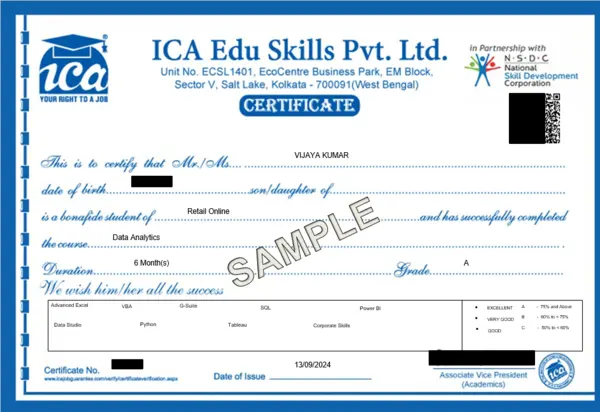
ICA + NSDC Certificate
Eligibility Criteria
Pre-Requisites for Joining this Course:
- Education:
- Completed Higher Secondary (Class 12)
- Good Knowledge of Basic MS Excel (Refer MS Office Content of ICA Edu Skills)
- Devices: Access to desktop or laptop with stable internet connection (as classes are practically oriented)
For more details - please connect with Career Coach at ICA Online
- ADVANCED EXCEL
- VBA
- G-SUITE
- SQL
- POWER BI
- DATA STUDIO
- PYTHON
- TABLEAU
- Advanced MS Excel 18 Hours
- 1. Advance Number Formatting
- 2. Advanced Conditional Formatting
- 3. Match & Index
- 4. Financial Functions
- 5. Power Query
- 6. Macro
- 7. Project
- 8. Array Formulas
- 9. PowerPivot & Power Map
- 10. Dashboard
- 11. G-suite
- Power BI 14 Hours
- 1. Introduction
- 2. Prepare Data in Power BI
- 3. Publish Power BI
- 4. Service Power BI
- 5. Desktop Tooltip Reports & Slicers in Power BI
- 6. Buttons & Bookmarks in Power BI
- G- Suite 16 Hours
- 1. Hello to Google Drive
- 2. Introduction to Google Sheet
- 3. Google Sheet Protection
- 4. Combine Data from Multiple Google Sheet
- 5. Google Slides
- 6. Google Mail Merge
- 7. Google Cloud Printing
- Data Studio 12 Hours
- 1. Google Data Studio
- 2. Creating Charts & Graphs
- 3. Filters & Controls
- 4. Custom Fields
- 5. Chart Styling
- 6. User Management: Sharing your Reports
- VBA 18 Hours
- 1. Macro
- 2. Introduction to VBA
- 3. Working with Procedures & Functions
- 4. Customizing the VBA Environment
- 5. Understanding the Objects
- 6. Variables & Intrinsic Functions
- 7. Controlling Program Execution
- 8. Debugging Code & Handling Errors
- 9. VBA Programming Functions
- 10. Excel Form Control & ActiveX
- 11. Working with Forms & Controls
- SQL 20 Hours
- 1. Introduction to SQL
- 2. Platforms to execute SQL codes
- 3. Creating a table
- 4. Data Insertion
- 5. Auto increment and primary key
- 6. Alter table
- 7. Delete
- 8. Update
- 9. Top clause
- 10. String functions
- 11. Aggregate functions
- 12. Constraints
- 13. SQL join
- 14. Insert sub-query
- 15. Delete sub-query
- Python 35 Hours
- 1. Introduction to Python
- 2. Python Basics
- 3. Control Flow
- 4. Functions
- 5. Data Structures
- 6. File Handling
- 7. Basic Object-Oriented Program
- 8. Mini Project
- Tableau 30 hours
- 1. Introduction to Tableau
- 2. Getting Started with Tableau
- 3. Connecting to Data Sources
- 4. Working with Dimensions & Measures
- 5. Creating Basic Charts: Bar, Line, Pie & Tables
- 6. Filtering, Sorting & Grouping Data
- 7. Using Calculated Fields & Table Calculations Maps and Geographical Data Visualization
- 8. Creating Dashboards and Storyboards
- Orientation On Corporate Skills 20 hours


Get The Best E-learning Experience with ICA!




Still Thinking? Seats Are Filling Fast!

You’ve seen the opportunity, now grab it! Get job-ready skills with ICA’s expert-led, practical training — anytime, anywhere..